
RAW playback
Open MLV, CKRAW and MCRAW (MotionCam RAW) footage. BRAW support is experimental. Studio also supports HEVC, H.264, ProRes and XAVC video.
CinemaKit Studio
CinemaKit Studio is a free browser-based RAW video player, color grading and processing application. It complements CinemaKit on iPhone and Android, using WebGPU to process footage locally on your computer. Your video files do not need to be uploaded.
CinemaKit Studio is the free browser-based companion to CinemaKit. Open your footage, adjust color and export on your computer. Processing happens locally with WebGPU; your files stay on your computer.
 CinemaKit Studio — Raw MLV Player & Color Grading×
 PetaPixel | Photography and Camera News, Reviews, and Inspiration×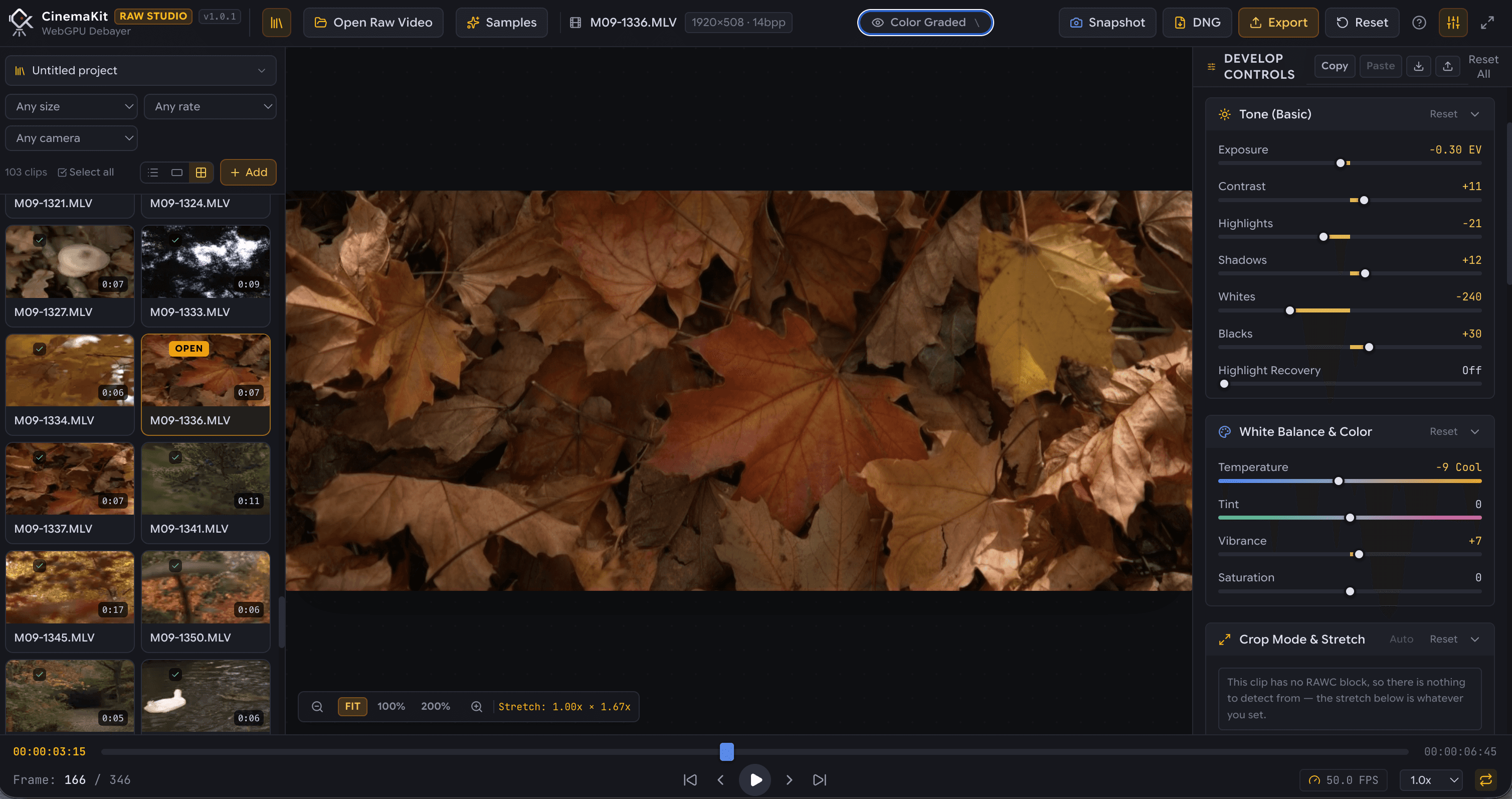
Record 10-bit or 12-bit RAW with CinemaKit as Magic Lantern Video (.MLV), CKRAW or CinemaDNG. Uncompressed Bayer sensor data with maximum dynamic range.
Open studio.cinemakit.app on any desktop browser (Chrome, Edge, Brave). Zero installation. Drag clips directly from your drive or phone transfer.
Grade with 32-bit float accuracy: exposure, highlight recovery, white balance, anamorphic desqueeze, 3D LUTs, and live GPU scopes.
Render full-res Apple ProRes 422/4444, HEVC, H.264, or export pristine uncompressed DNG stills frame-by-frame — completely client-side.
Open MLV, CKRAW and MCRAW (MotionCam RAW) footage. BRAW support is experimental. Studio also supports HEVC, H.264, ProRes and XAVC video.
Adjust exposure, white balance and curves, apply LUTs and use a 32-bit floating point workflow with GPU scopes and noise reduction.
Create a project and drop your files in. Hover a clip to preview it, then sort and rate clips to organize a shoot. Stabilization and batch export continue the workflow.
Studio reads and processes video files on your computer. Your footage stays local instead of being uploaded to a processing server.
Export CinemaDNG, ProRes or web-native video codecs. Available export options and performance depend on your browser and hardware.
Use a desktop browser with WebGPU enabled and a compatible GPU. Chrome, Edge and Brave are starting options; support depends on browser version, operating system and GPU drivers. Large RAW clips need sufficient memory and storage.
Develop
Every adjustment lives in one panel, applied to moving footage the way a photo editor applies it to a still.
Shown for RAW footage only. It exports the RAW data itself, so adjustments made in Studio are not applied.
Encoded on the CPU, so it is often fastest on a Mac.
The formats your browser and operating system provide. Options marked HW are hardware accelerated and export faster.
Record RAW footage on your phone, transfer the files to your computer, then open them in Studio. You can also review and grade directly in CinemaKit when you want to stay on your phone.
Explore CinemaKitYes. CinemaKit Studio is free. The CinemaKit mobile application is a separate one-time purchase with a 7-day trial.
No. Video processing takes place locally in your browser using your computer's GPU. Your video files are not uploaded.
No. Open studio.cinemakit.app in a compatible browser. WebGPU support and suitable hardware are required.
CinemaKit is the mobile capture and grading application. CinemaKit Studio is its browser-based post-production companion. You can use CinemaKit's built-in player and grading tools without Studio.