A cinema camera. In your pocket.
Shoot RAW.
Make it yours.
Turn your iPhone or Android into a RAW cinema camera. Capture true Bayer sensor data. Review, grade and export — all on your phone.

7-day free trial. One-time purchase. No subscription.
Straight off the sensor.
Each photosite records one colour: red, green or blue. CinemaKit keeps that data untouched, so white balance, exposure and colour stay yours to decide later.
Your colour. Your call.
Find your look.
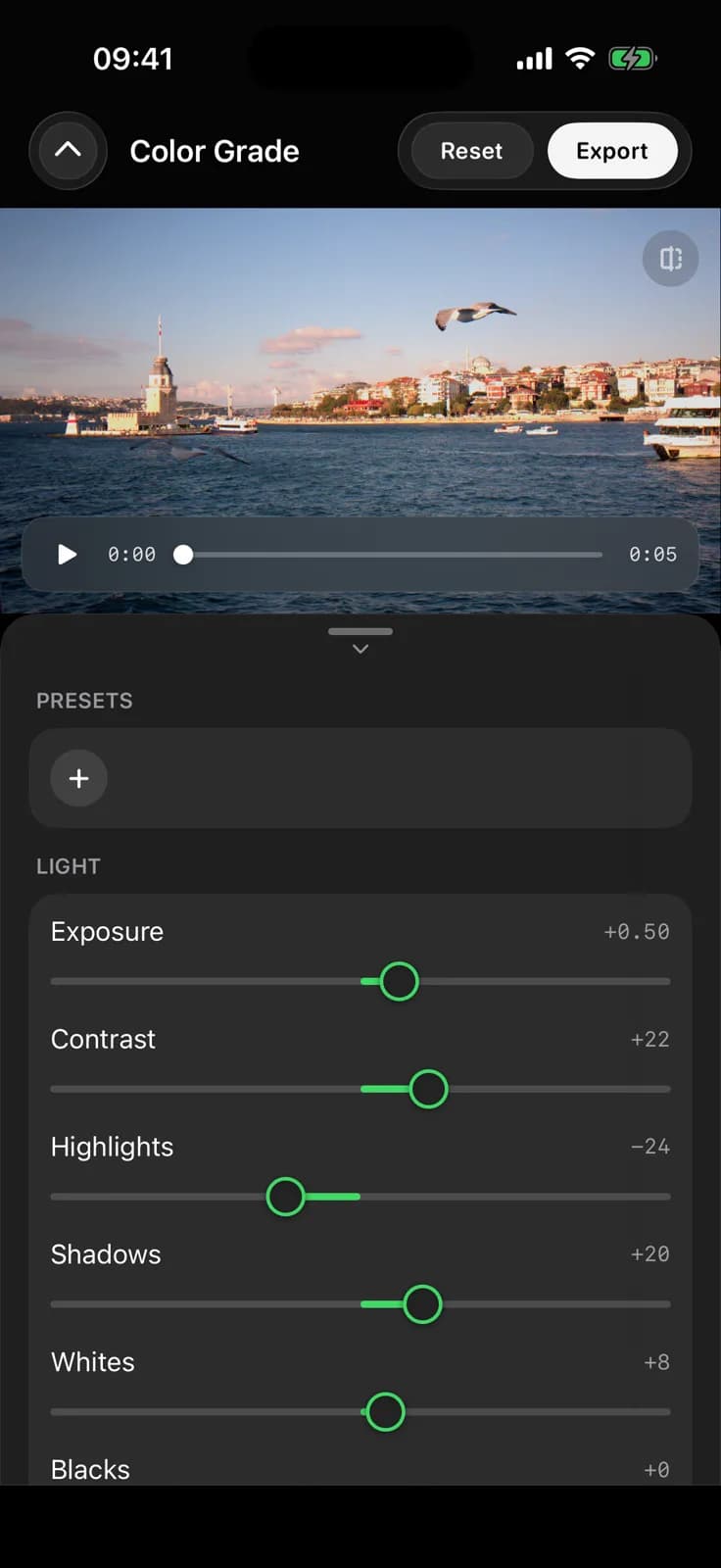
Exposure, white balance and 3D LUTs. Shape the image directly on your phone.
A complete mobile workflow
Capture. Review.
Colour. Export.
One app, from the first frame to the final look. Continue on your computer with CinemaKit Studio.
Explore colour gradingThe App
From shoot to screen. One app.
Shoot, organize and review true RAW without ever leaving your phone.
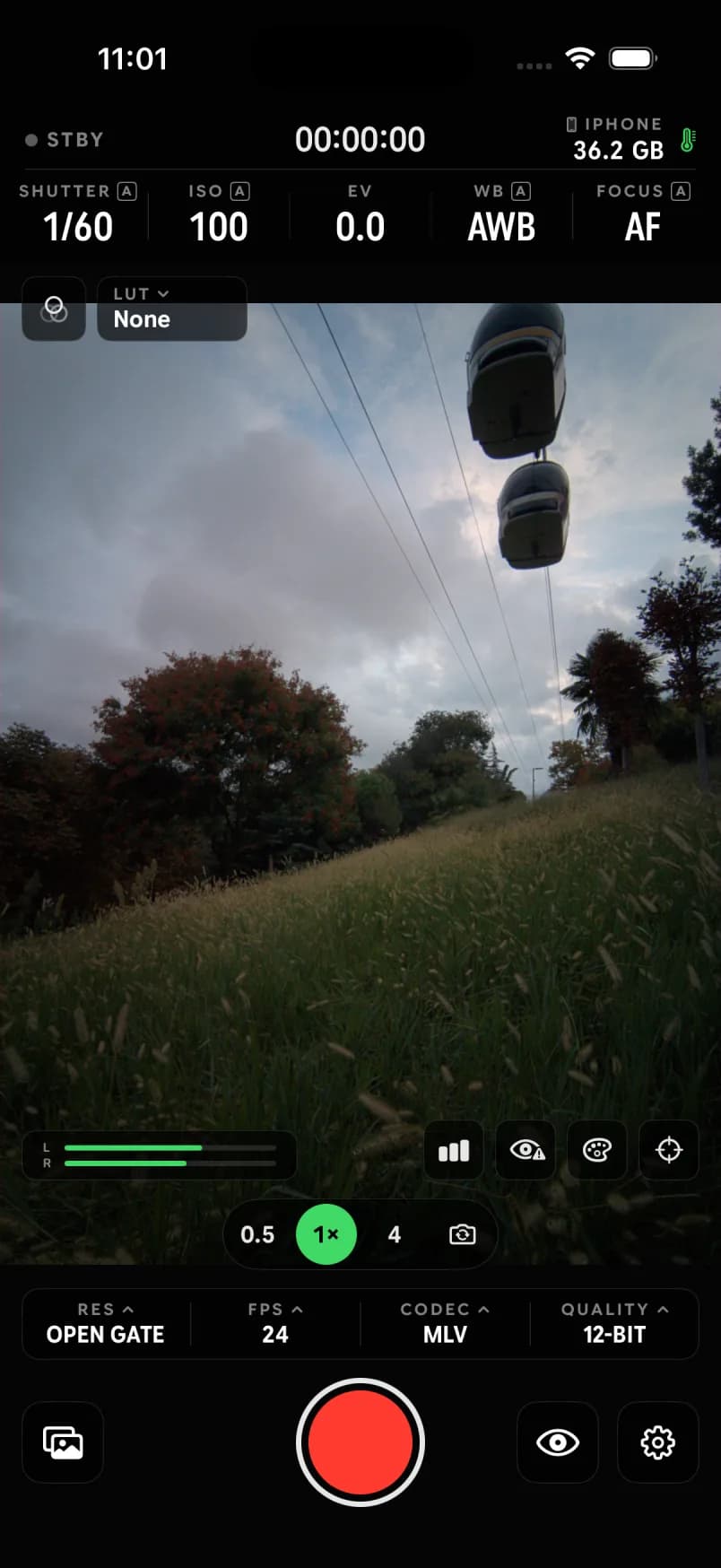 Capture
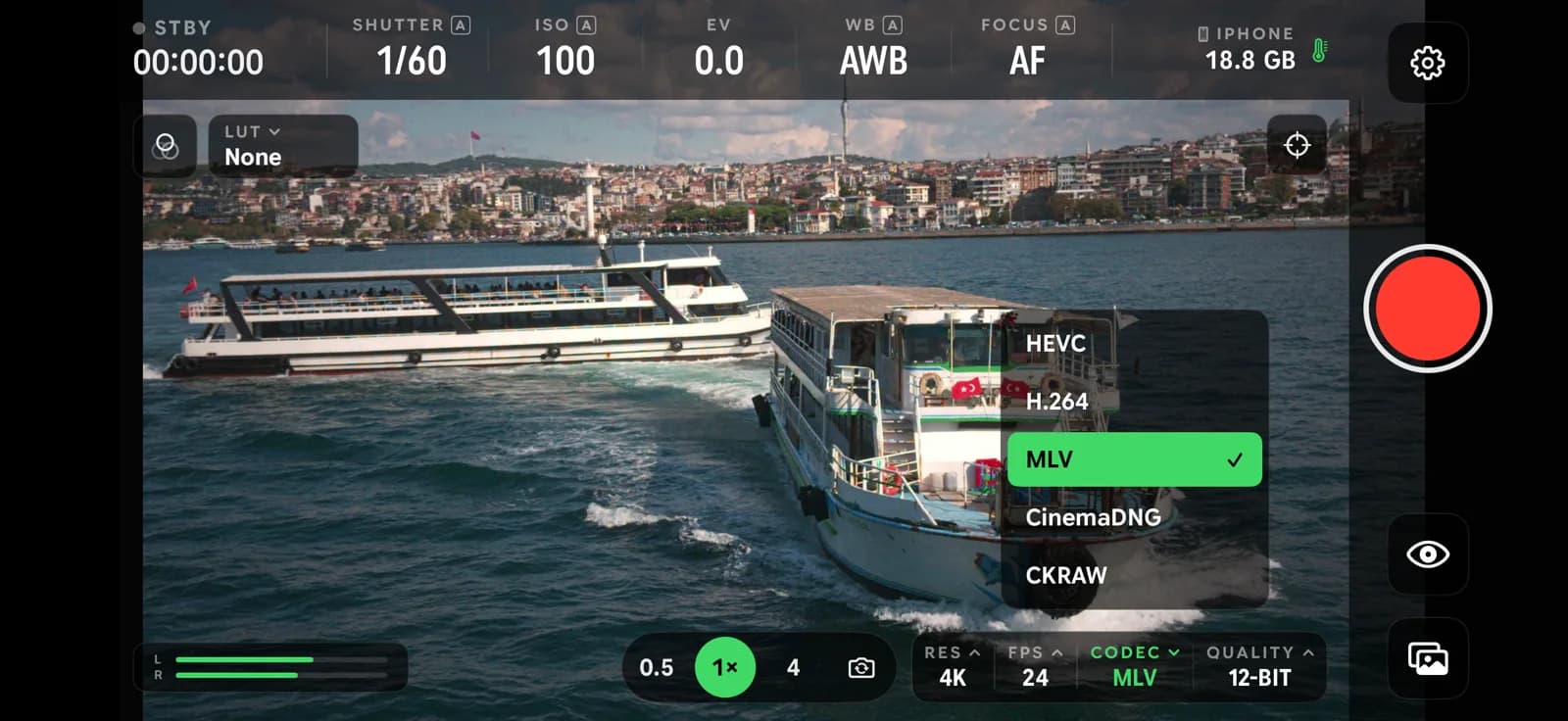
Cinema controls, up front
Shutter, ISO, white balance, focus, LUT preview and audio meters on one screen. Open Gate, MLV and 12-bit are a tap away.
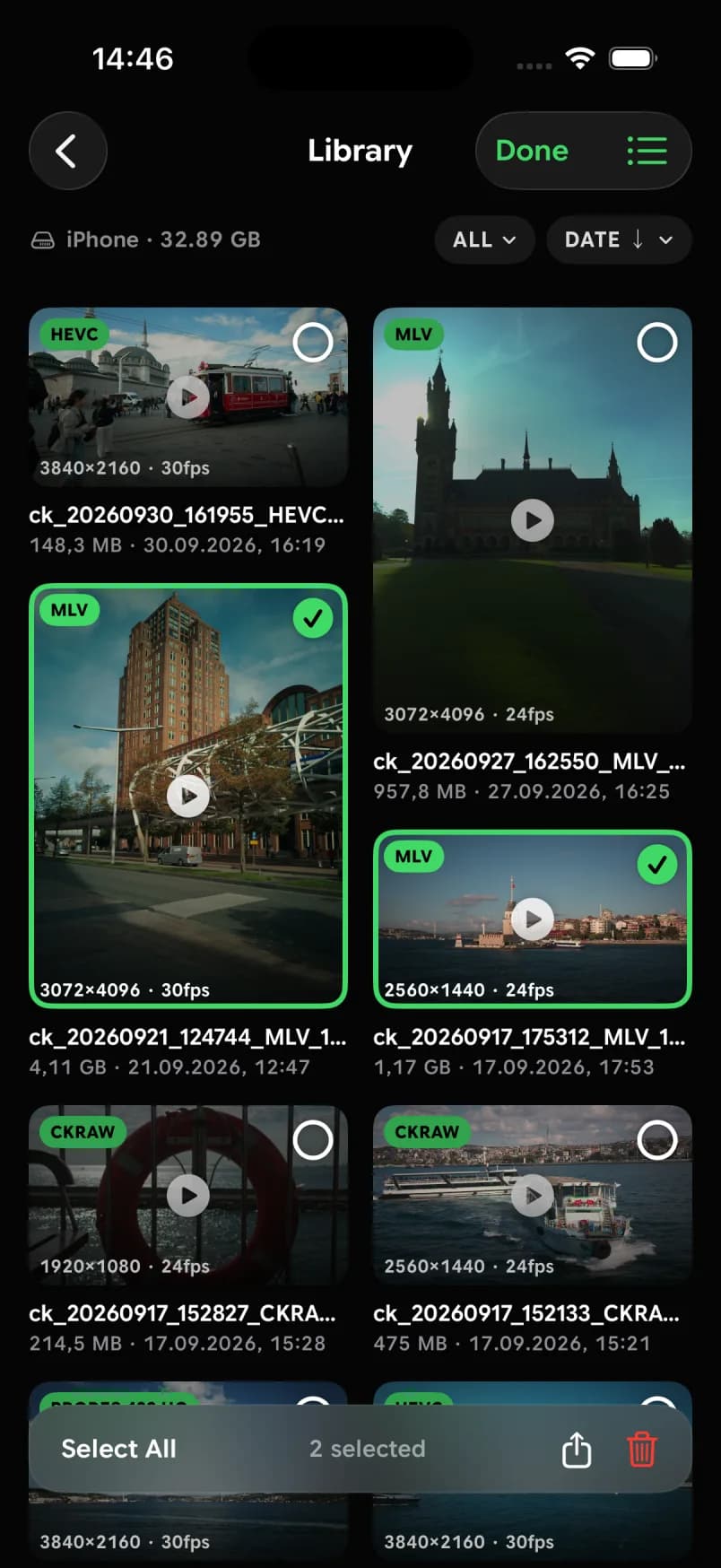 Library
Every take, organized
Codec, resolution and frame rate on every clip. Filter, sort, select and share straight from the library.
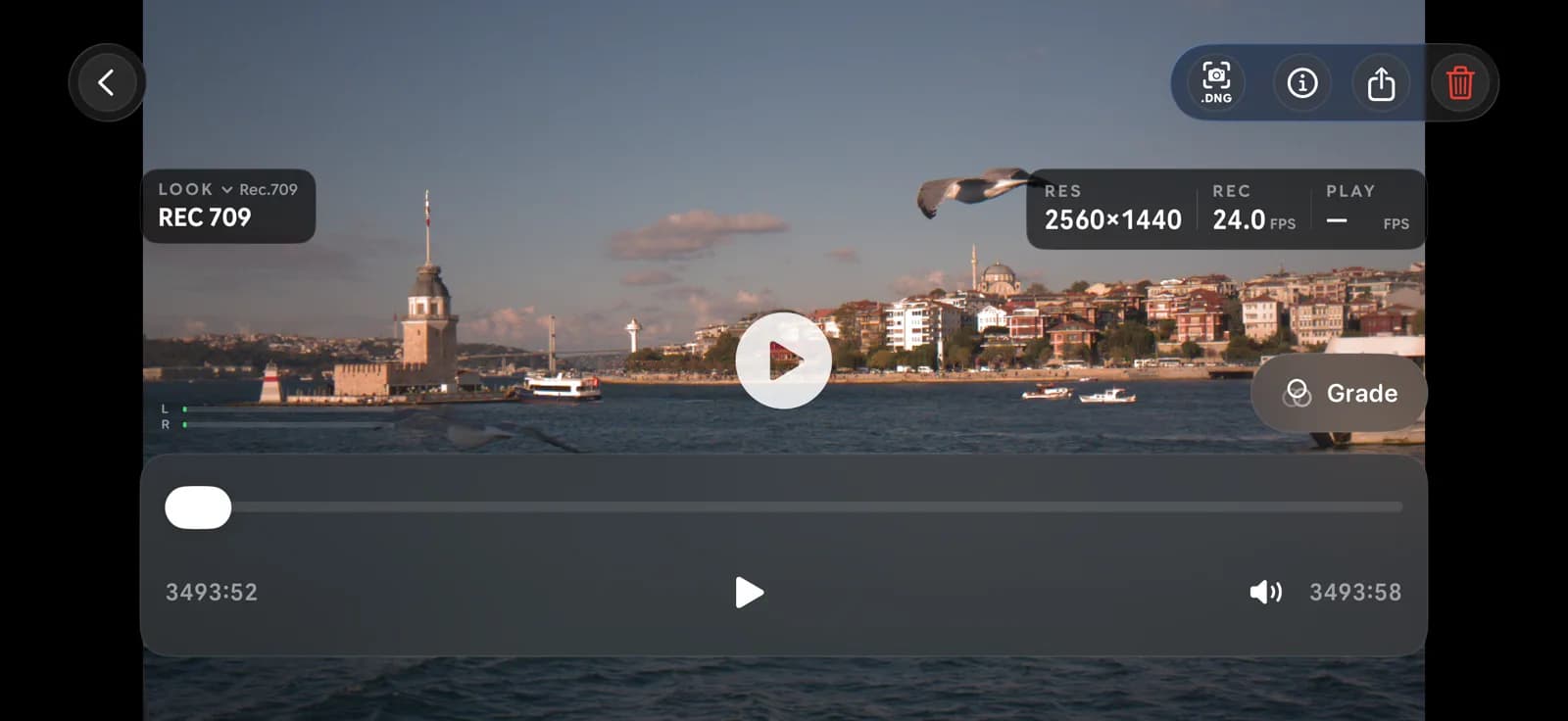
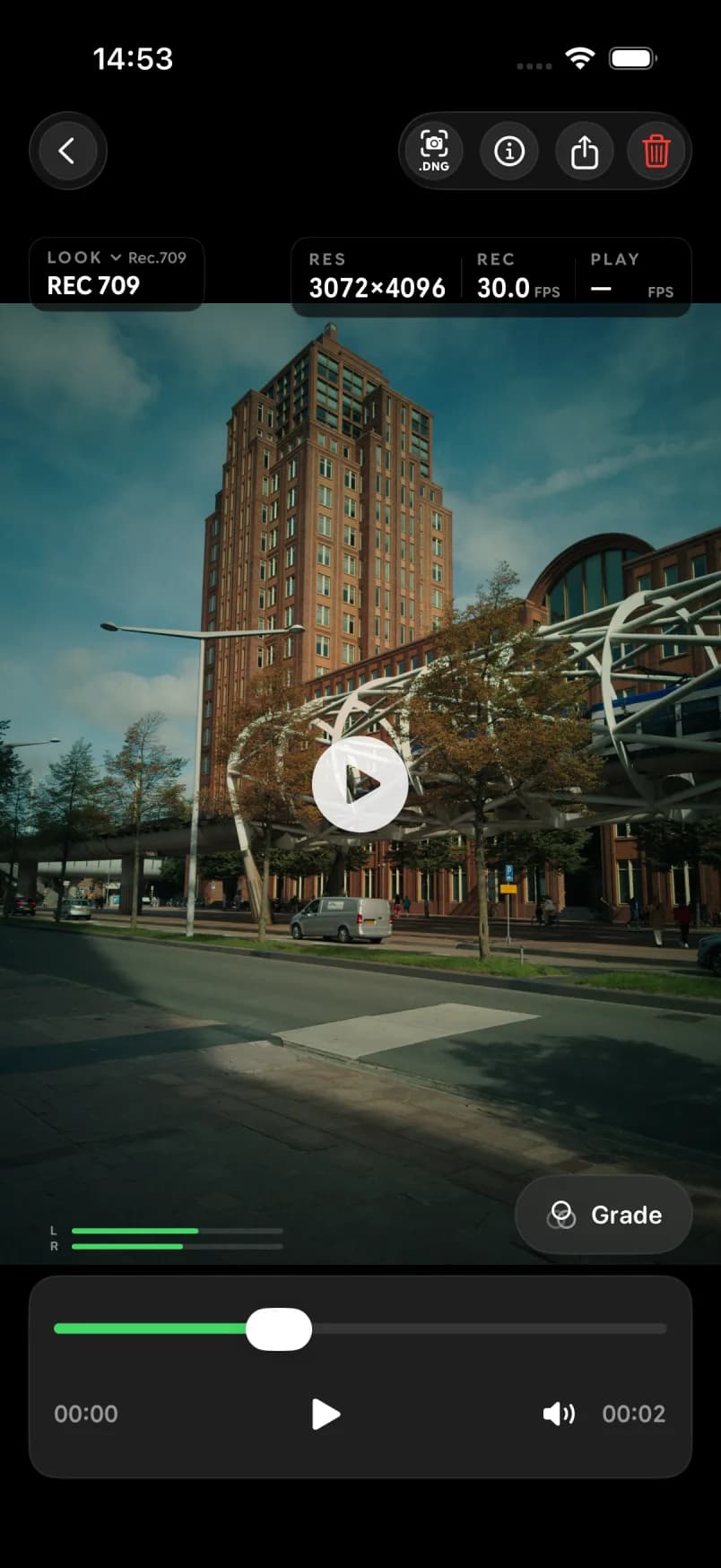 Playback
Review and grade while you shoot
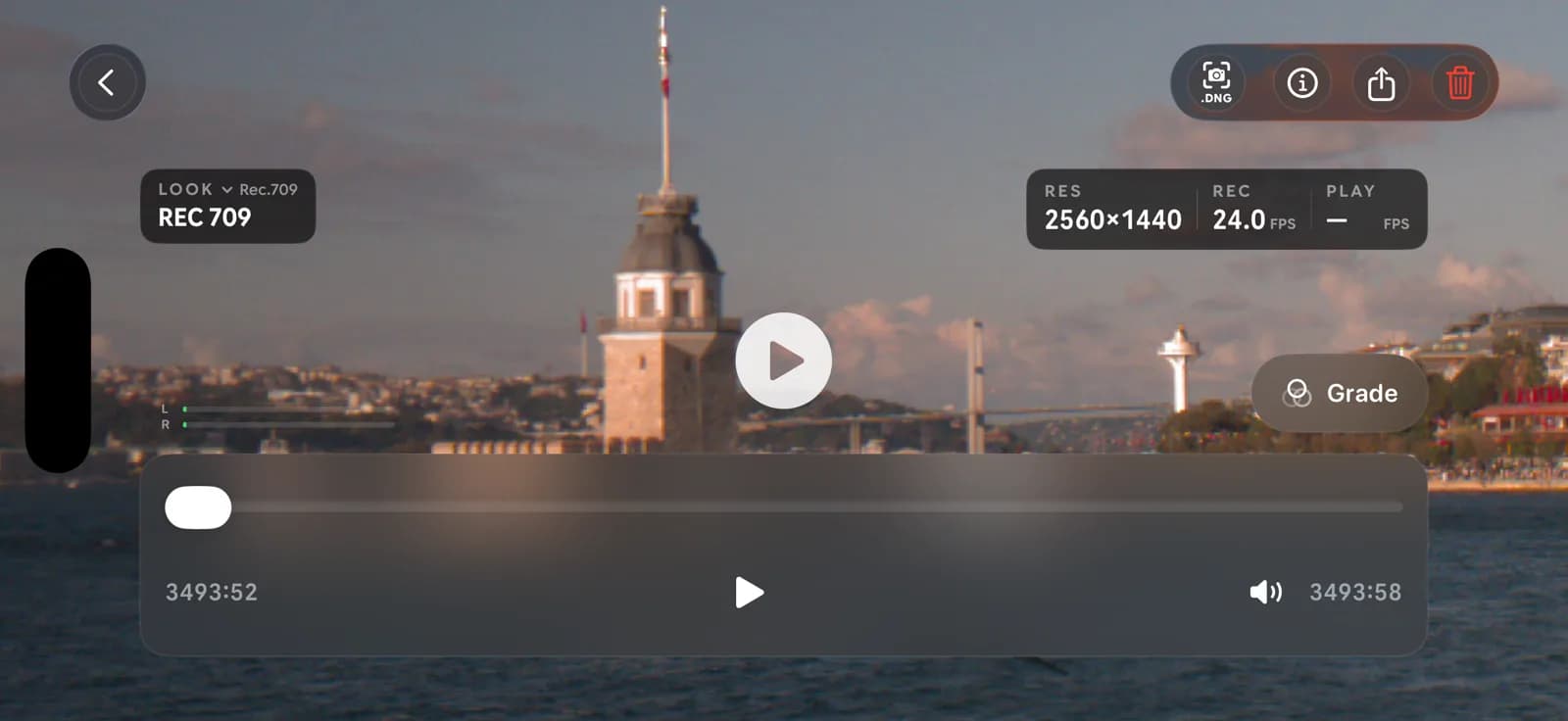
Play RAW clips natively with a REC 709 look, jump into the grade, or pull a DNG still from any frame.
CinemaKit Studio
Your RAW workflow, continued.
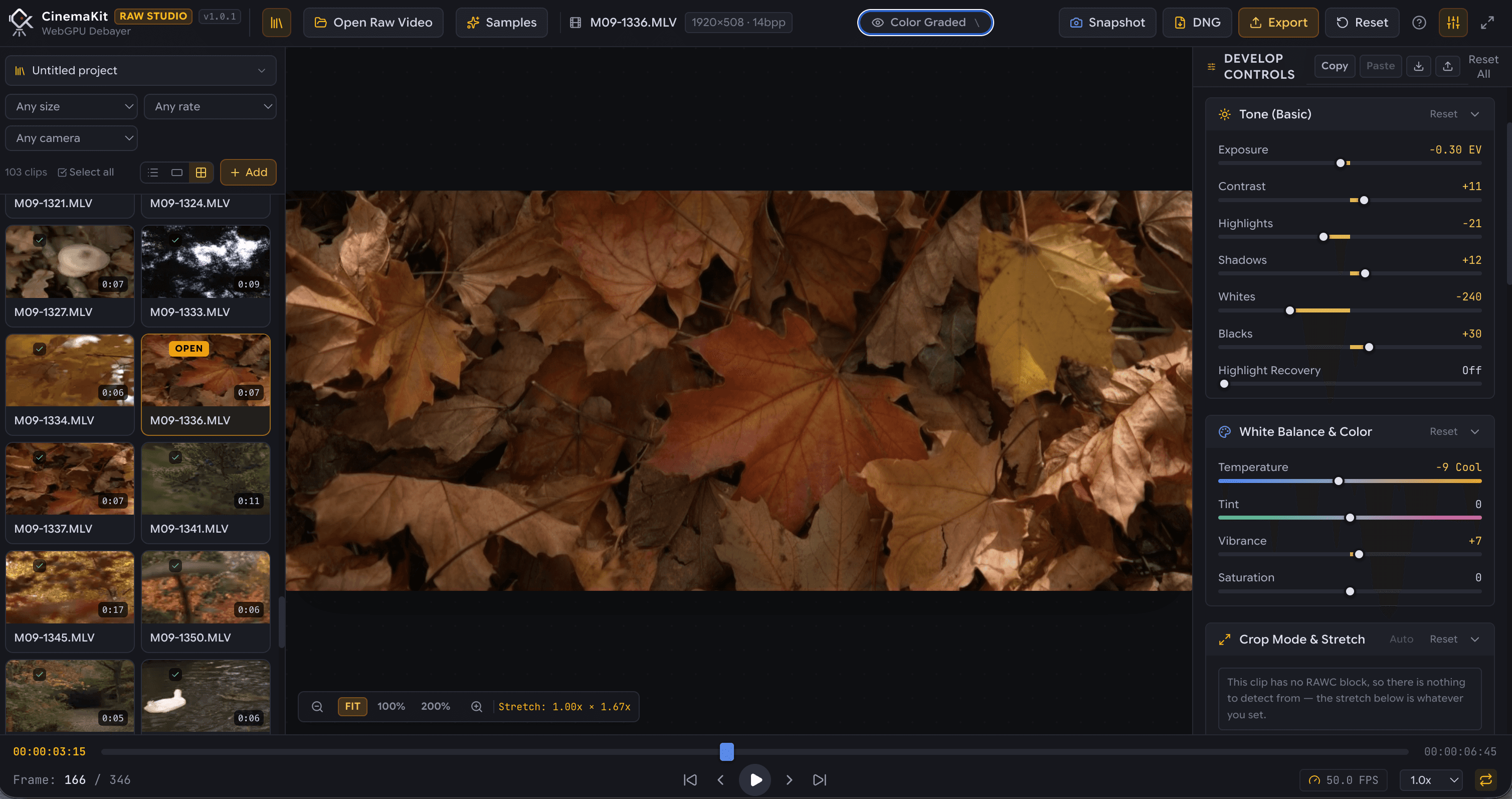
CinemaKit Studio is the free browser-based companion to CinemaKit. Open your footage, adjust color and export on your computer. Processing happens locally with WebGPU; your files stay on your computer.
Production Features
Everything a shoot needs.
True Bayer sensor capture, instant native playback, Gyroflow stabilization, and zero-cable offload engineered into a unified cinema pipeline.
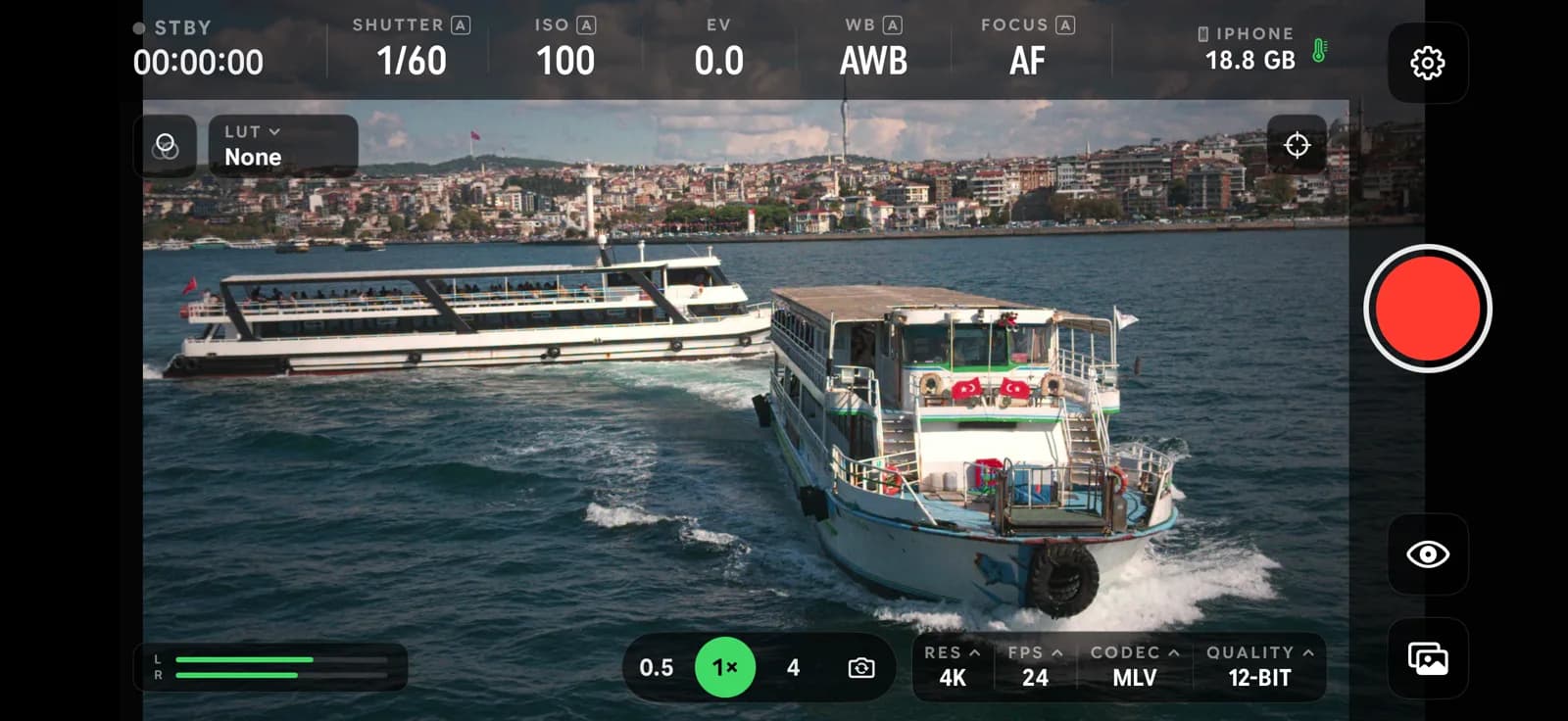
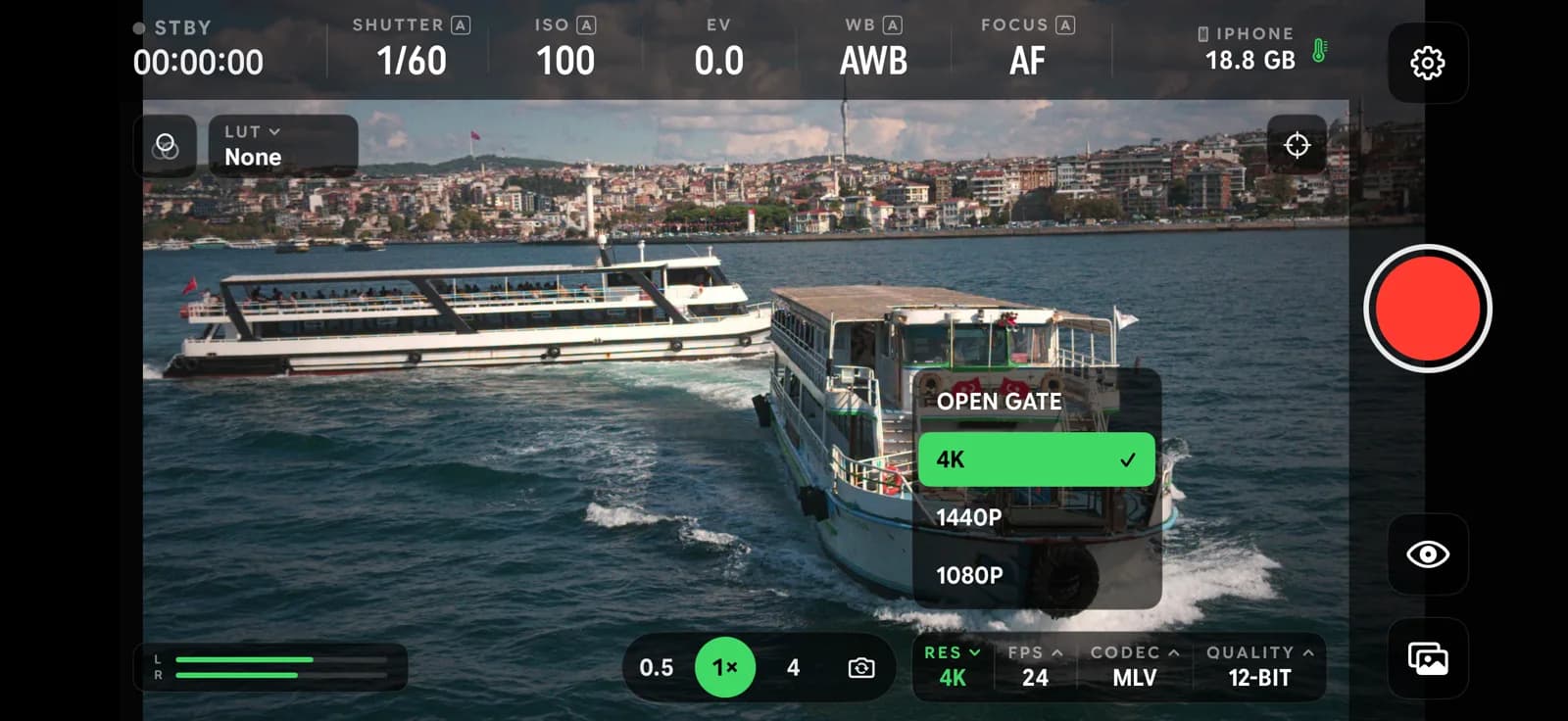
Pick a label around the phone, or a feature below.
- 10/12-Bit RAW
CinemaKit captures true Bayer RAW straight off the sensor and writes it to MLV (Magic Lantern Video) or CinemaDNG. Not a debayered, baked-in file, but pure uncompressed sensor data so you keep full dynamic range and color control in post.
Learn more - Sensor Versatility
Open Gate and 4K sensor modes capture maximum sensor area for high-end cinematic framing. High-speed 1440p and 1080p crop and oversampled modes are noticeably faster, minimize rolling shutter, and deliver rock-solid thermal reliability for continuous takes.
Learn more - Zero External Tools
Most RAW capture apps in this space, like RawCam and LogCam, make you use a separate tool just to preview your footage. CinemaKit has a high-performance RAW player built right in—scrub, inspect focus, and evaluate exposure while you shoot.
Learn more - 32-Bit Float Engine
CinemaKit has its own dedicated grading panel, so you can color grade your RAW footage directly on your phone. Adjust exposure, white balance, contrast, and apply 3D LUTs. Works seamlessly with both RAW MLV files and standard ProRes or HEVC exports.
Learn more - IMU Telemetry
High-frequency motion metadata is recorded alongside every take and frame-synced for Gyroflow. Enjoy silky-smooth, gimbal-grade camera stabilization in post-production without carrying heavy physical rigs. Compatible with both RAW MLV files and ProRes/HEVC exports.
Learn more - Local Wi-Fi Offload
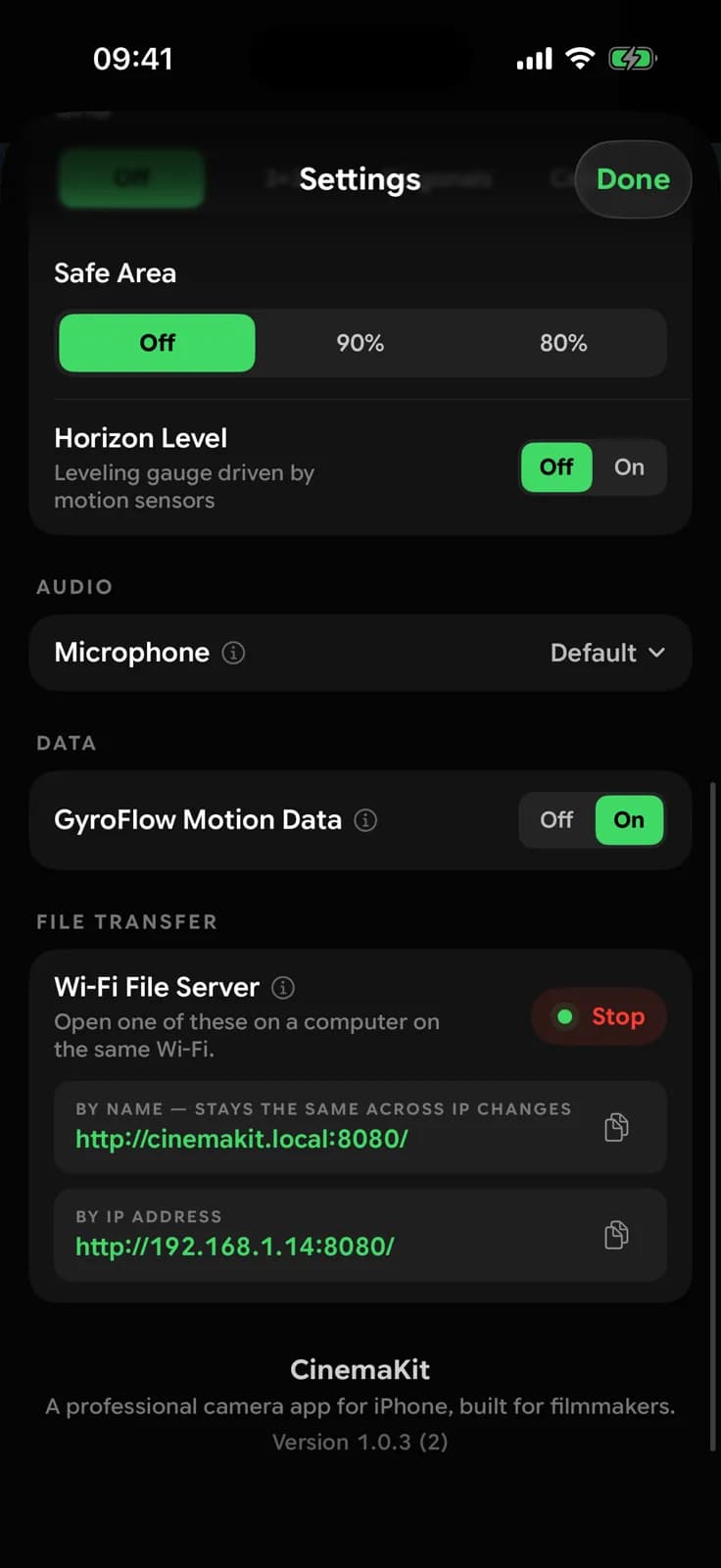
There is also a built-in web server and local network sharing, so you can transfer large RAW MLV and CinemaDNG files directly to your PC, Mac, or Linux workstation without any third-party apps or cables. Export to Apple ProRes (422/4444), HEVC, or H.264, or extract high-res DNG stills.
Learn more
Shot on CinemaKit
“FERRY”
Filmed on a phone. Captured with CinemaKit in RAW and S-Log.
RAW video guides
Understand it. Then shoot it.
What is RAW? MLV or CinemaDNG? When should you use Open Gate? Clear answers to technical questions, with practical steps for your first shoot.
What is RAW video?
Learn how Bayer RAW video differs from processed video, what you can change in post, and the storage trade-offs when recording on a phone.
RAW vs Log: what is the difference?
Compare RAW sensor data and Log tonal encoding. Understand white balance, demosaicing, codecs and when to choose each workflow.
What is Open Gate recording?
Open Gate recording explained: sensor area, aspect ratios, reframing, storage costs and the difference between Open Gate and 4K.
Frequently Asked Questions
Everything about RAW video on mobile.
Learn how CinemaKit brings true uncompressed Bayer sensor capture, MLV, CinemaDNG, and desktop-grade workflows to your phone.
What is MLV and why does CinemaKit record to it?
MLV (Magic Lantern Video) is an open RAW video container created by the Magic Lantern community. CinemaKit writes un-debayered Bayer sensor data into MLV, together with audio and metadata, in a single file per take. White balance, exposure and highlight decisions stay open for post, and MLV files work in CinemaKit Studio as well as established desktop tools like MLV App.
How is RAW different from ProRes or HEVC recording?
The difference is when image decisions are made. A RAW take stores one value per pixel, straight from the sensor's Bayer pattern, so demosaicing, white balance and noise reduction all happen later, in post. ProRes and HEVC store an image that has already been demosaiced, with white balance baked in and the codec's own compression applied. You can record them with a Log curve to keep more dynamic range for grading, and high-quality ProRes like 4444 gets very close in latitude, but those baked-in decisions can't be fully undone later. Every CinemaKit recording, whatever the format, starts from the same RAW sensor capture and is debayered by the app itself, not by the phone's standard camera processing. RAW gives the most control, with much larger files; ProRes and HEVC are ready to edit right away.
Can I review and grade footage on the phone?
Yes. The built-in player lets you scrub through MLV and CinemaDNG takes to check focus and exposure while you shoot, and any frame can be saved as a DNG still. The grading panel works on both RAW and recorded video clips, with exposure, contrast, white balance and more detailed controls. On iPhone, graded clips export to ProRes or HEVC. On Android, they export to HEVC or H.264, with 10-bit HEVC on devices whose encoder supports it.
Are the iPhone and Android versions the same?
The core is the same: RAW capture to MLV, CKRAW and CinemaDNG, the built-in player, grading, and the Wi-Fi file server. The differences come from the platforms. iPhone offers ProRes but Android has no ProRes, its bit depth depends on the sensor, and it adds recording to external USB-C drives and 1440p oversampling.
How does pricing work?
CinemaKit is a one-time purchase, with no subscription. You can try every feature for 7 days before buying, with recordings limited to 7 seconds per clip during the trial. The trial never turns into a paid plan on its own. CinemaKit Studio is free.

CinemaKit is a one-time purchase -
no subscription, ever.
Try every feature free for 7 days before you buy.